To adjust the my position for a shade using the TaHoma by Somfy app, please follow the instructions below:
- Open the TaHoma by Somfy app and select your devices
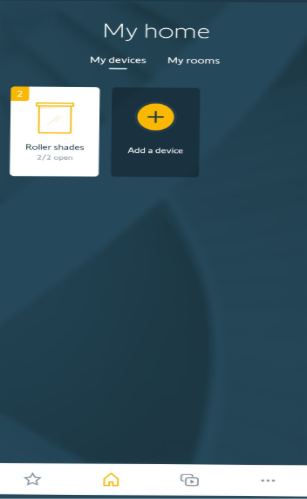
- Select the device that you want to adjust the my position for
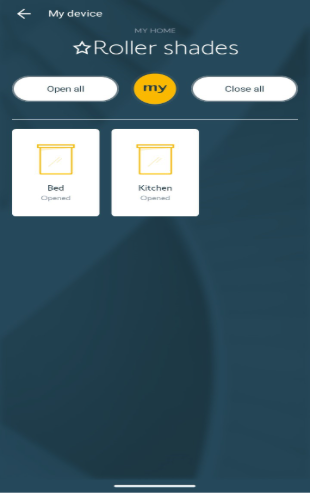
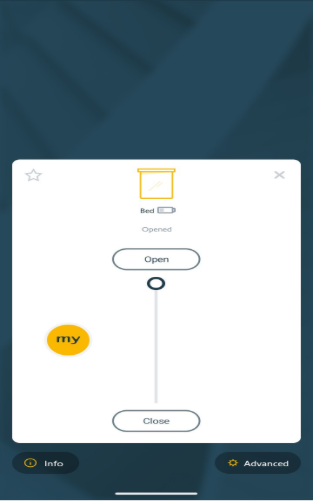
- Select “Advanced” at the bottom right of the screen
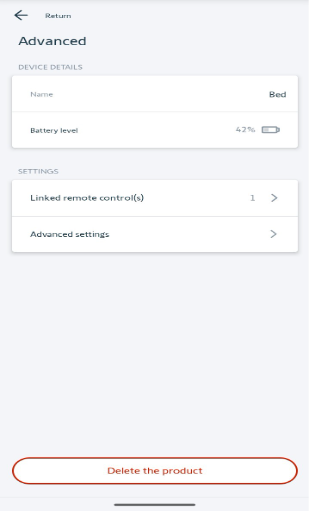
- Select “Advanced settings”
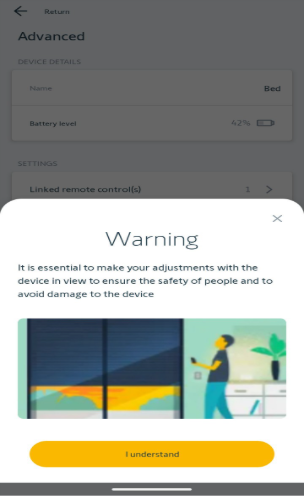
- A warning screen will pop up. Select “I understand” at the bottom of the screen
- Scan the QR code of the motor that you want to adjust. The QR code is located on the antenna or on the hembar/bottomrail of the shade
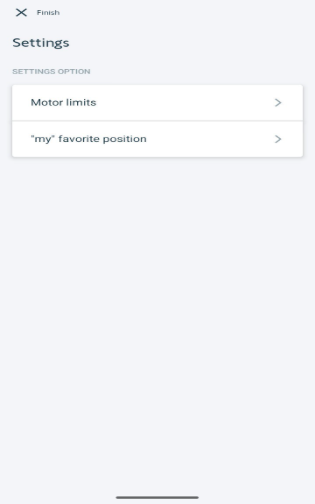
- Select “my favorite position”
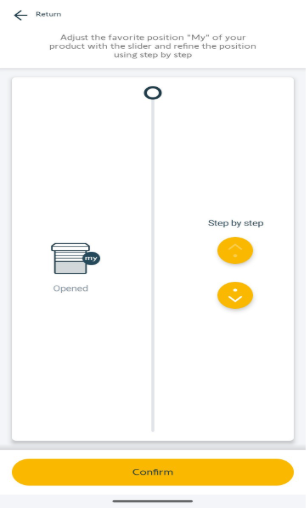
- Use the slider to move the shade to the desired position. The step by step buttons can be used to move the shade in 1/8” increments. Once desired position is reached, select “Confirm”
For additional support:
Email: motorization.support@springswindowfashions.com, responses could take up to 24 hours
Customer Service Team: 1-800-221-6352
Was this article helpful?
That’s Great!
Thank you for your feedback
Sorry! We couldn't be helpful
Thank you for your feedback
Feedback sent
We appreciate your effort and will try to fix the article