If the UP and DOWN buttons on your remote are reversed, follow these steps to switch them back.
Premium Multi-Channel Remote Instructions
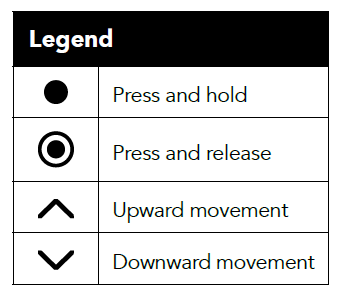
1. Press and hold the menu/right button paddle switch labeled MENU for two seconds until the menu appears displaying 4 lines of text CHANNEL, SHADE, ZWAVE, and BATT OK.
2. Scroll down to and tap the menu/right button briefly on SHADE, scroll down to tap the menu button on LIMITS.
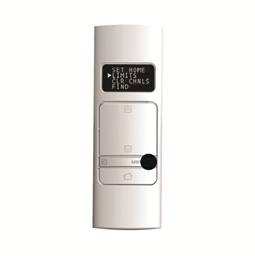
3. To proceed past the warning message, press and hold the menu/right button for 2 seconds.
4. Tap left or menu/right to select the shade number you want to change the travel direction of.
5. Scroll down to TRAV DIR and hold the menu/right button until the screen changes.
The shade will travel and then jog two times, and the direction has now been reversed.
For additional support:
Email: motorization.support@springswindowfashions.com,
Customer Service Team: 1-800-221-6352
Note: Responses could take up to 24 hours
Was this article helpful?
That’s Great!
Thank you for your feedback
Sorry! We couldn't be helpful
Thank you for your feedback
Feedback sent
We appreciate your effort and will try to fix the article