To adjust the speed for a zigbee top down bottom up shade, please follow the instructions below:
- Open the TaHoma pro app, select configure a motor and scan the QR code for the shade.
- Select “Set equipment”
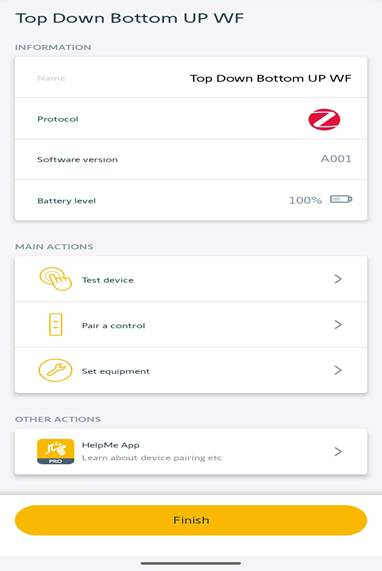
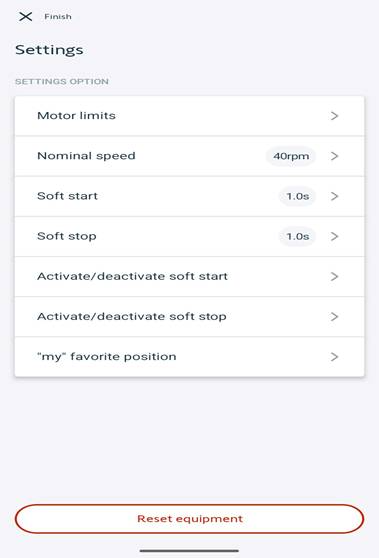
- Select “Nominal speed”
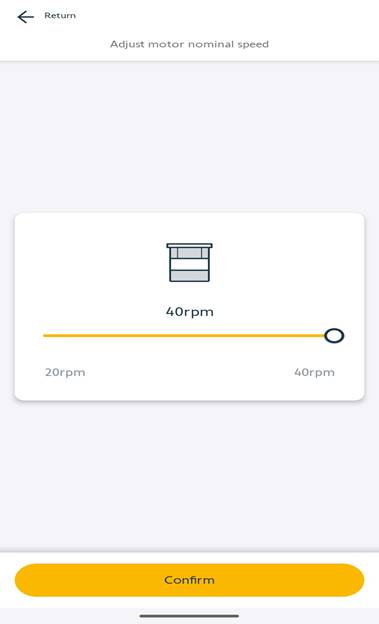
- Using the slider, adjust the speed anywhere from 20 to 40 rpms. Once the slide is set to the desired speed, select “Confirm”.
For additional support:
- Email: motorization.support@springswindowfashions.com, responses could take up to 2 business days
- Customer Service Team: 1-800-221-635
Was this article helpful?
That’s Great!
Thank you for your feedback
Sorry! We couldn't be helpful
Thank you for your feedback
Feedback sent
We appreciate your effort and will try to fix the article