Please use the following steps to adjust limits on a Zigbee TDBU shade:
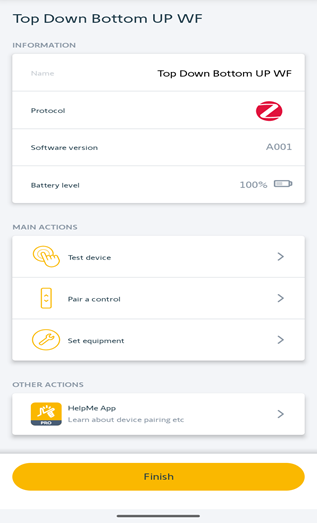
- First open the TaHoma Pro app and select configure a motor, then scan the QR code for the shade.
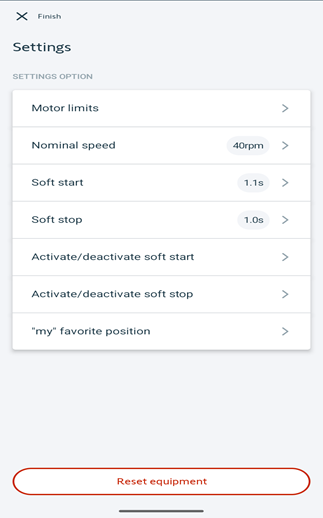
- Once connected to the motor, select "set equipment".
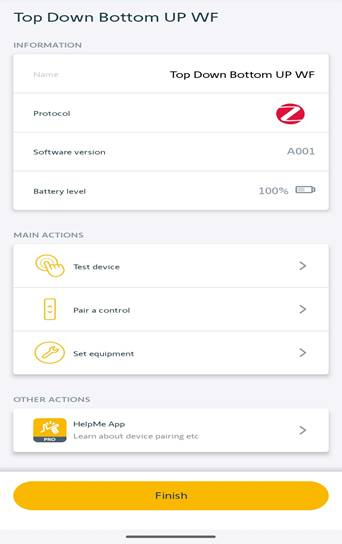
- Select “motor limits”.
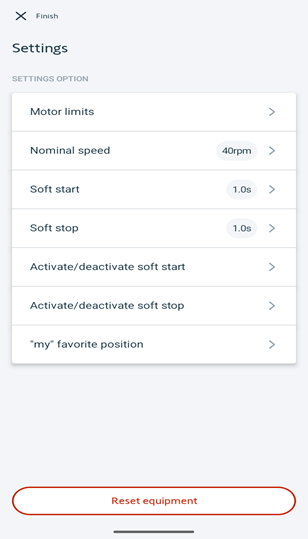
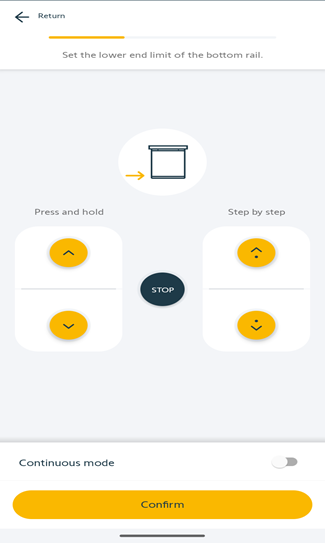
- Set the lower limit for the bottom rail. Once rail is at the desired position, click confirm.
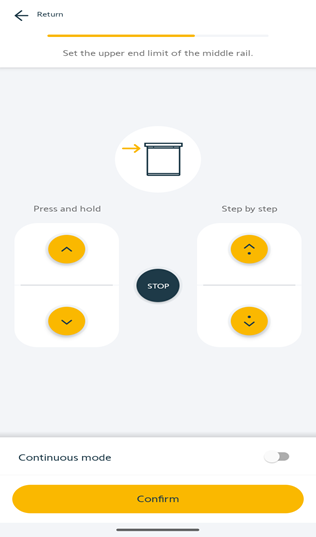
- Set the upper limit for the mid rail. Once rail is at the desired position, click confirm.
- Set the upper limit for the bottom rail. Once rail is at the desired position, click confirm.
Please note that adjusting the upper limit for the bottom rail may affect the bottom stack position. The bottom stack position will be the same as the difference between the mid rail and the bottom rail when both rails are at their upper limit.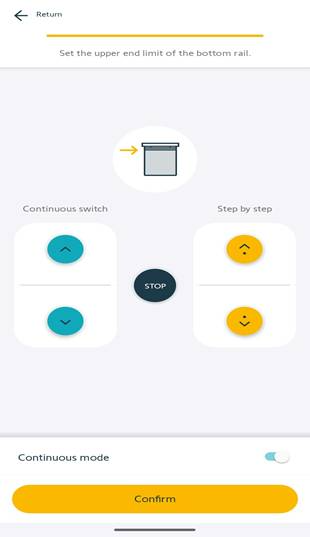
- Once all limits have been set properly, select "finish" on the top left of the screen.
- If done making adjustments, select "Finish" at the bottom of the screen.
For additional support:
- Email: motorization.support@springswindowfashions.com, responses could take up to 2 business days
- Customer Service Team: 1-800-221-6352
Was this article helpful?
That’s Great!
Thank you for your feedback
Sorry! We couldn't be helpful
Thank you for your feedback
Feedback sent
We appreciate your effort and will try to fix the article