If you encounter this error while, or shortly after, setting up your new Gateway, it is possible that the gateway was still bound to your account. The gateway does not check what account it is bound to, just if it is bound to an account when it reports this error.
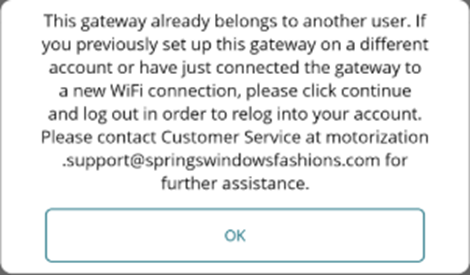
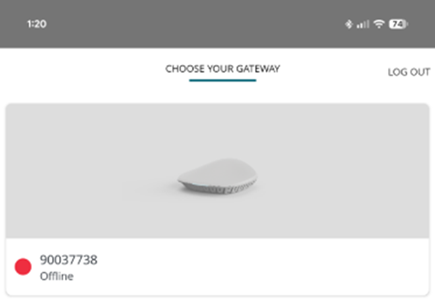
To confirm if this gateway is bound to your account, hit “OK” and the app will take you back to the start of the device wizard for setting up the Gateway. Press the back arrow in the top left corner, and this should take you to the “My Gateways” page, showing your gateway as paired, but maybe offline:
It may take a few minutes for the gateway to connect, but once the gateway is connected and online, this screen should update to show the gateway as “online,” allowing you to tap on the gateway to connect to it and proceed with programming.
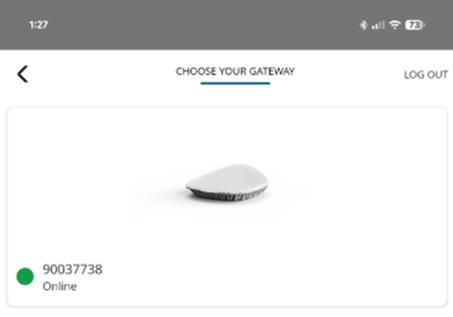
If the gateway does not show online after about 5 minutes, remove the gateway from your account and try the setup process one more time. To remove the gateway, while on the screen shown in the image above:
- IOS – tap “Advanced Options” below the gateway you are trying to remove.
- Android – Press and hold on the gateway you are trying to remove.
If still unsuccessful, remove the gateway from your account and try to factory reset the Gateway, then try setup once more:
- Press and hold the programming button on the back of the gateway, next to the power input, for more than 10 seconds, but no more than 20 seconds.
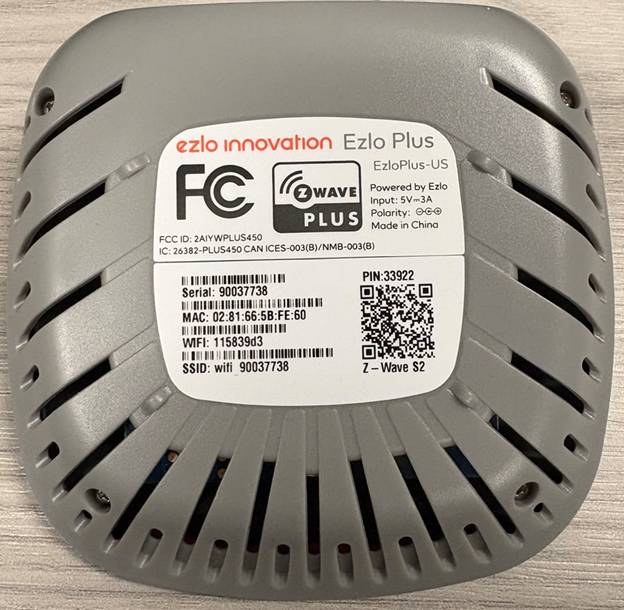
If issues persist, please contact us with the serial number of the gateway:
For additional support:
Email: motorization.support@springswindowfashions.com,
Customer Service Team: 1-800-221-6352
Note: Responses could take up to 24 hours
Was this article helpful?
That’s Great!
Thank you for your feedback
Sorry! We couldn't be helpful
Thank you for your feedback
Feedback sent
We appreciate your effort and will try to fix the article