To prevent shipping damage, we install a small metal adapter between the motor and the cassette end plate. You can remove the plate to reduce the sound coming from the shade without it causing any issues with the shades normal function.
- Remove shade from mounting brackets by firmly pushing in on cassette valance and rotating down to release it.
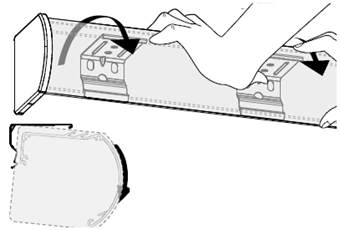
- Remove the plastic endcap from the motor side of the cassette, exposing the metal endplate with screws.
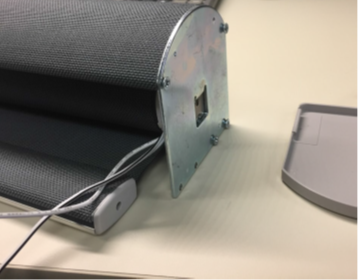
- Remove the four (4) screws on the endplate to uninstall the endplate from the cassette.
NOTE: Try to keep the shade still during this process. If the shade is rotated you will need to reset the limits.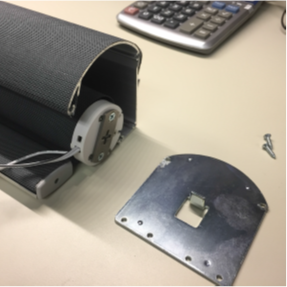
- Remove the two screws that hold the metal adapter in place to uninstall the adapter.
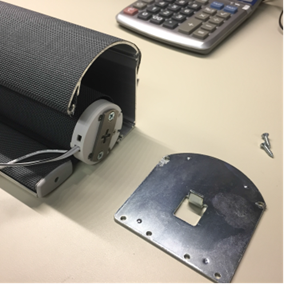
- Prepare the felt (or similar material) to be installed by folding it in half and with a pair of scissors, make an approximate 1/4″ cut in the center of the felt. approximate 1/4″ cut in the center of the felt
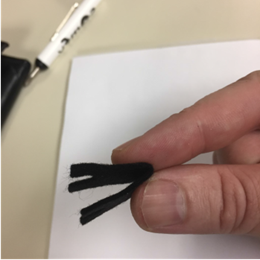
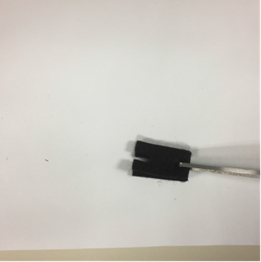
- Install felt strip to the cassette endplate, by pushing the metal tab through the hole.
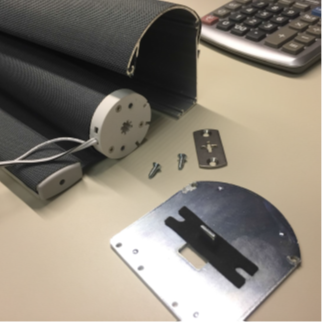
- Reinsert the endplate into the motor and fasten the endplate to the cassette with the four screws removed earlier.
NOTE: The metal adapter removed in step four (4) will not be put back on. Make sure the motor program button is accessible once the shade is reassembled.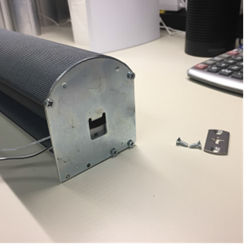
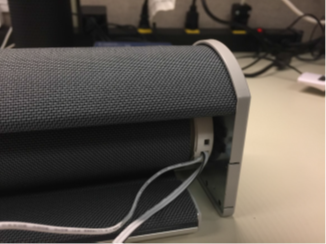
- Install the shade back into the brackets and confirm the shade no longer has a vibration noise to it.
Below is the link to adjust your shade limits if it no longer stops in the correct positions:
RTS: My shade is the wring height. How do I adjust it?
For additional support:
Email: motorization.support@springswindowfashions.com, responses could take up to 24 hoursCustomer Service Team: 1-800-221-6352
Was this article helpful?
That’s Great!
Thank you for your feedback
Sorry! We couldn't be helpful
Thank you for your feedback
Feedback sent
We appreciate your effort and will try to fix the article