NOTE: If you own two (2) or more shades that only operate on a single (1) channel remote, you will need to disconnect power from the shades you are not resetting and programming.
Resetting the motor to factory settings:
- You will need to locate the motor to reset it. Follow the instructions linked here to locate your motor as the location and access varies by product type.
- Using a small item, like a paperclip, press and hold the programming button located on the motor until the shade does three (3) jogs (short up/down motion).
The motor is now reset back to its original factory settings and will need to be paired back to your controller and have the limits programmed back into it. Use the steps below to set a new upper and lower limit back to your shade.
Assigning a controller and setting new limits:
- Using the remote you want to control the shade, select the channel, if applicable, using the button at the bottom of the remote until the correct channel light is flashing.
- Hold but the UP and DOWN buttons together until the shade does a jog.
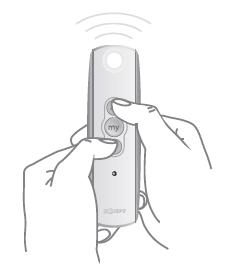
- Press and hold the up or down buttons to confirm the shade works in the right direction. If the shade is working in reverse, down is up and up is down, press and HOLD the "MY" or "STOP" button until the shade jogs once.
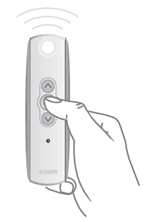
- Hold the up button to bring the shade to the desired upper limit. This is where the shade would normally stop when fully raised.
- Quickly press and release both the "MY" ("stop") and DOWN buttons together. The shade will start traveling down. NOTE: If the shade stops when the buttons are released, bring shade back to the upper limit and repeat step 2.
- Stop the motor when the shade reaches desired lower limit by quickly pressing and releasing the "MY" or "STOP" button. This is where the shade would normally stop when fully closed.
NOTE: If the shade is not in the correct lower position, then adjust the shade with the up or down button.
- Quickly press and release both the "MY" ("stop") and UP buttons together. The shade will start traveling up until the shade stops on its own at the upper limit.
NOTE: If the shade stops when the buttons are released, bring shade back to the lower limit and repeat step 4.
- Press and HOLD the "MY" or "STOP" button until the shade jogs once. Confirm that the shade now has programmed limits by operating the shade normally.
- Quickly tap the programming button on the controller.
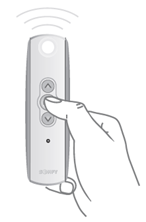
- Repeat for each shade as necessary.
For additional support:
Email: motorization.support@springswindowfashions.com, responses could take up to 24 hours
Customer Service Team: 1-800-221-6352
Was this article helpful?
That’s Great!
Thank you for your feedback
Sorry! We couldn't be helpful
Thank you for your feedback
Feedback sent
We appreciate your effort and will try to fix the article